Meet Horizon UI · 16/17: Localization in Eight Languages
This is the sixteenth post in the Meet Horizon UI series, still in Act 5 — make it yours & adopt. The previous post showed that the whole console is driven by templates. Localization builds straight on that: Horizon speaks eight languages, and a translation is just an overlay on the same template — not a fork, and not a re-translation on every render.
Translations are overlays, resolved once on the server
Each non-English locale is an overlay catalog layered onto the English source template. When the BFF serves a template, it reads your chosen locale (from a request header), merges the overlay onto the source once, and returns the localized template — translation is resolved a single time on the server, not per chart at mount. The merge is forgiving: it deep-merges onto the source, and any leaf the overlay doesn’t translate falls back to English, so a half-translated catalog is perfectly valid. Adding or fixing a language is therefore editing overlays, never touching the source dashboards.
There’s a deliberate line about what gets translated. The chrome does — widget titles, tips, labels, menu aliases. But data OAP supplies never does: service, instance, and endpoint names, tags, log lines, alarm-rule names, and span operations render exactly as the backend reports them. Product and protocol names (SkyWalking, Kubernetes, Envoy), MQE expressions, and codes like RPM / P95 / SLA stay verbatim too.
Click to translate
You don’t edit JSON to localize. Admin → Translations gives you a live preview in your target language: pick the template and the language, click any widget, and a panel opens showing each translatable field — the English source above, your translation below. A progress counter tracks how far along each language is, and the same draft model from the templates post applies: Stage local keeps it in your browser, Check diff & push publishes the overlay to OAP, and Export / Import moves a language’s translations as a JSON file.
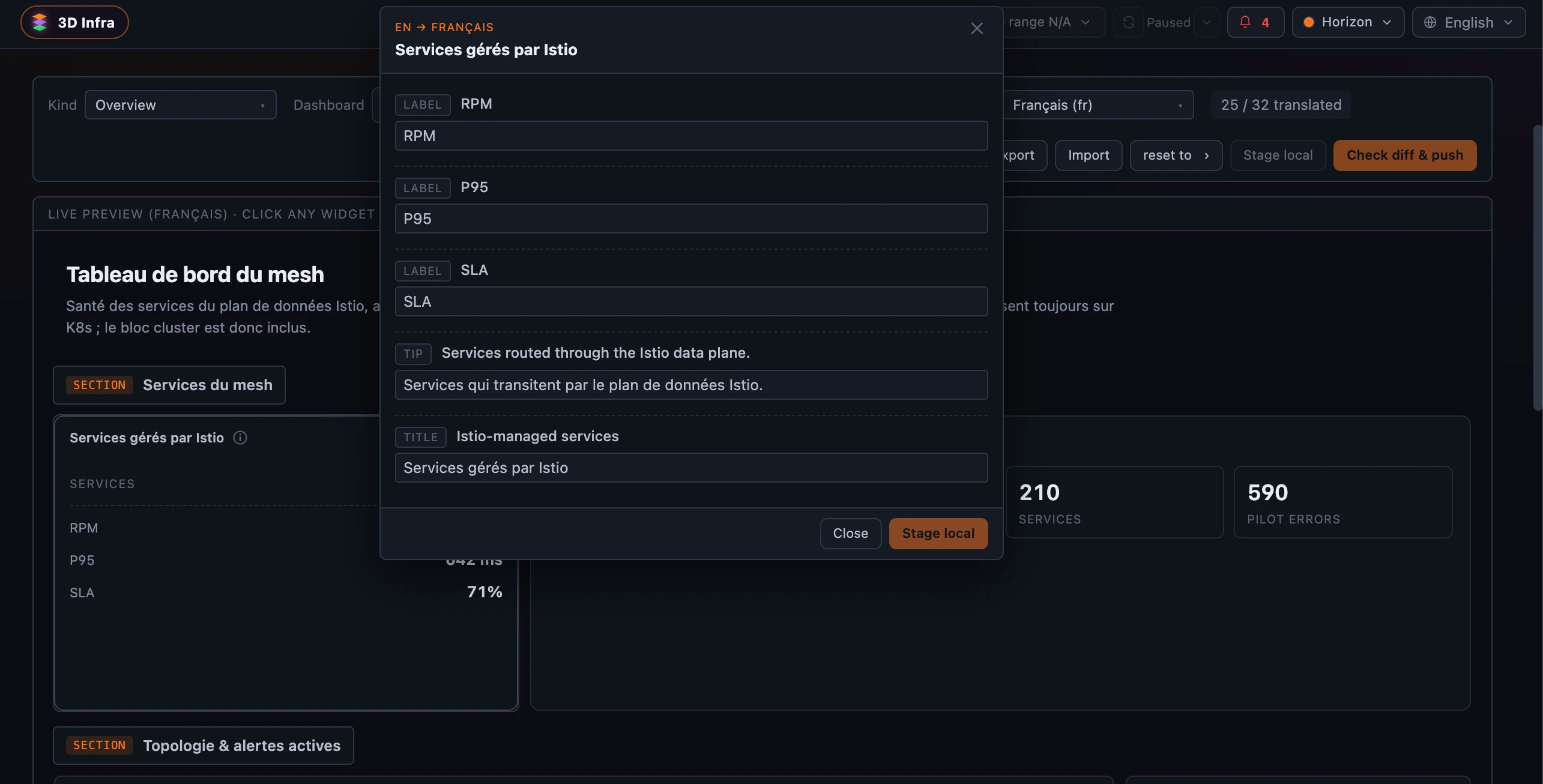 Figure 1: The Translations admin — pick a language (here Français), click any widget in the live preview, and type the translation. The title and tip translate; codes like
 RPM / P95 / SLA stay verbatim — and so does every value OAP supplies.
Eight languages, picked per device
The set is eight first-class locales: English (the source) plus Deutsch, Español, Français, 日本語, 한국어, Português, 中文 (简体). You switch from the language chip in the topbar — on every page, including the pre-auth login — and the choice persists per device.
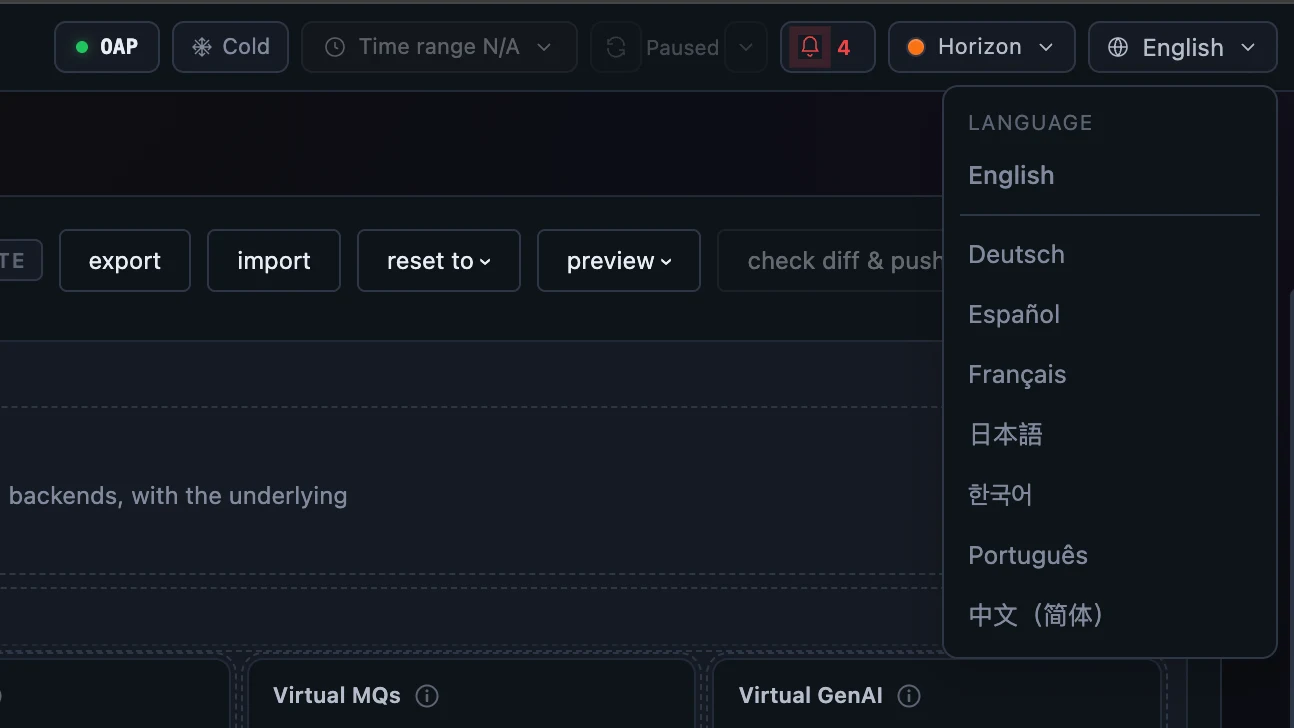 Figure 2: The topbar language chip — eight first-class languages (English plus Deutsch, Español, Français, 日本語, 한국어, Português, 中文), picked per device on every page including the login.
Switch the language and the whole console follows. Here is the General Service dashboard in Chinese — the sidebar, tabs, and widget titles are localized, while the API paths, service names, and metric values stay exactly as OAP reports them. Notice that a few widget titles are still in English: those leaves simply aren’t translated yet, so they fall back to the source — exactly the graceful degradation the overlay model is built for.
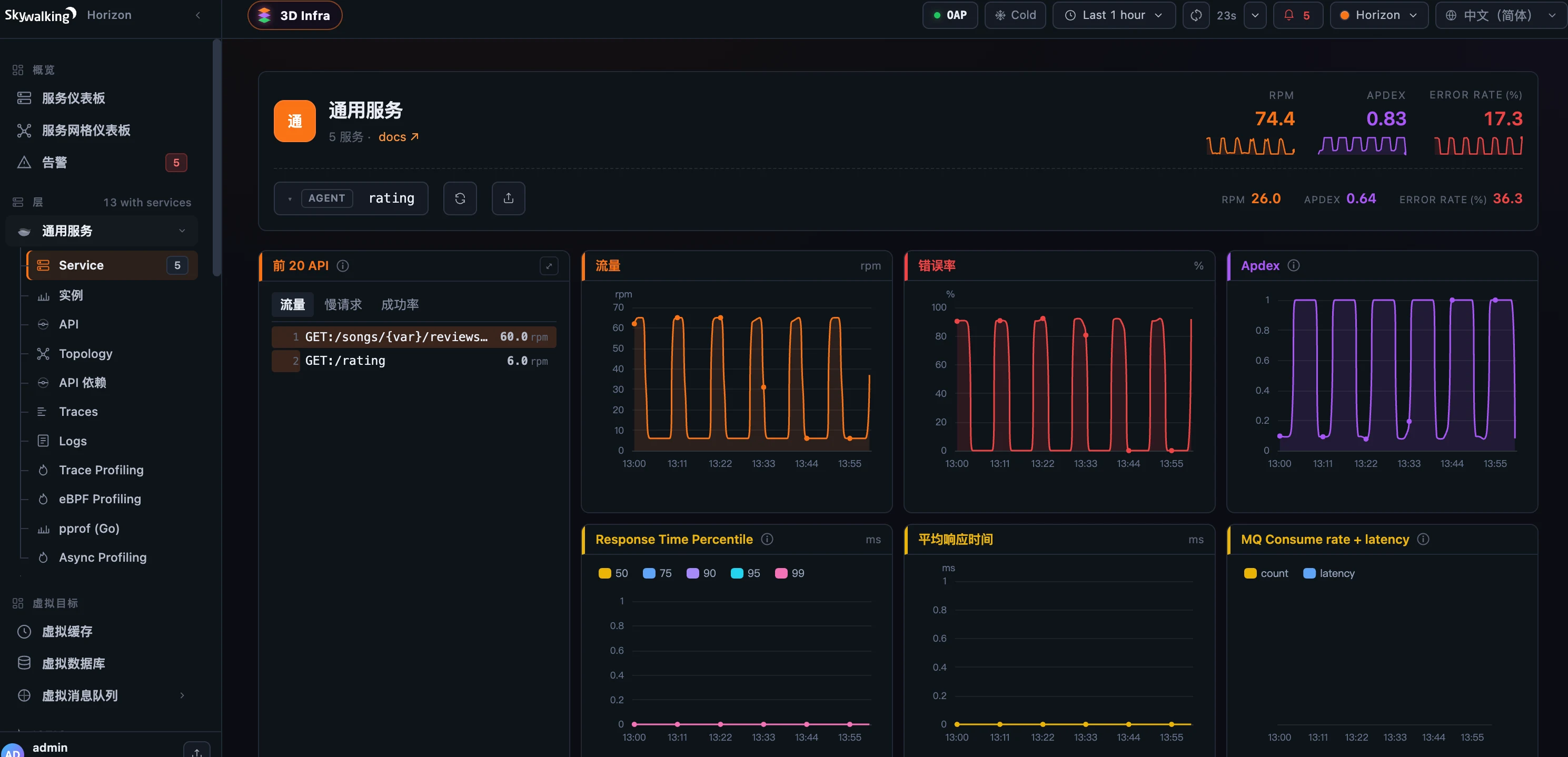 Figure 3: The same General Service dashboard in Chinese — sidebar, tabs, and widget titles localized, while service names, API paths, and metric values stay exactly as OAP reports them. Untranslated leaves fall back to English.
Where it runs
Locale resolution happens BFF-side, so it works on any OAP. Publishing a translation writes a sibling overlay to OAP’s template store through the admin host (OAP 11), gated on overview:write; the eight UI-chrome message catalogs are bundled and switch synchronously with no network fetch. A CI gate (i18n:validate) keeps every source template paired with an overlay per locale so nothing drifts. For the field reference — the translatable-field rules and the add-a-language recipe — see the i18n docs.
Next, the series closes with Getting Started & Migration — installing Horizon and swapping it in for an existing UI.